Crash reporting for Flutter apps: a practical setup guide
Most users never report a crash, they just leave. Set up crash reporting in a Flutter app in minutes: what gets caught, how to add context, and how to cut the noise.

The Lerix team
6 min read
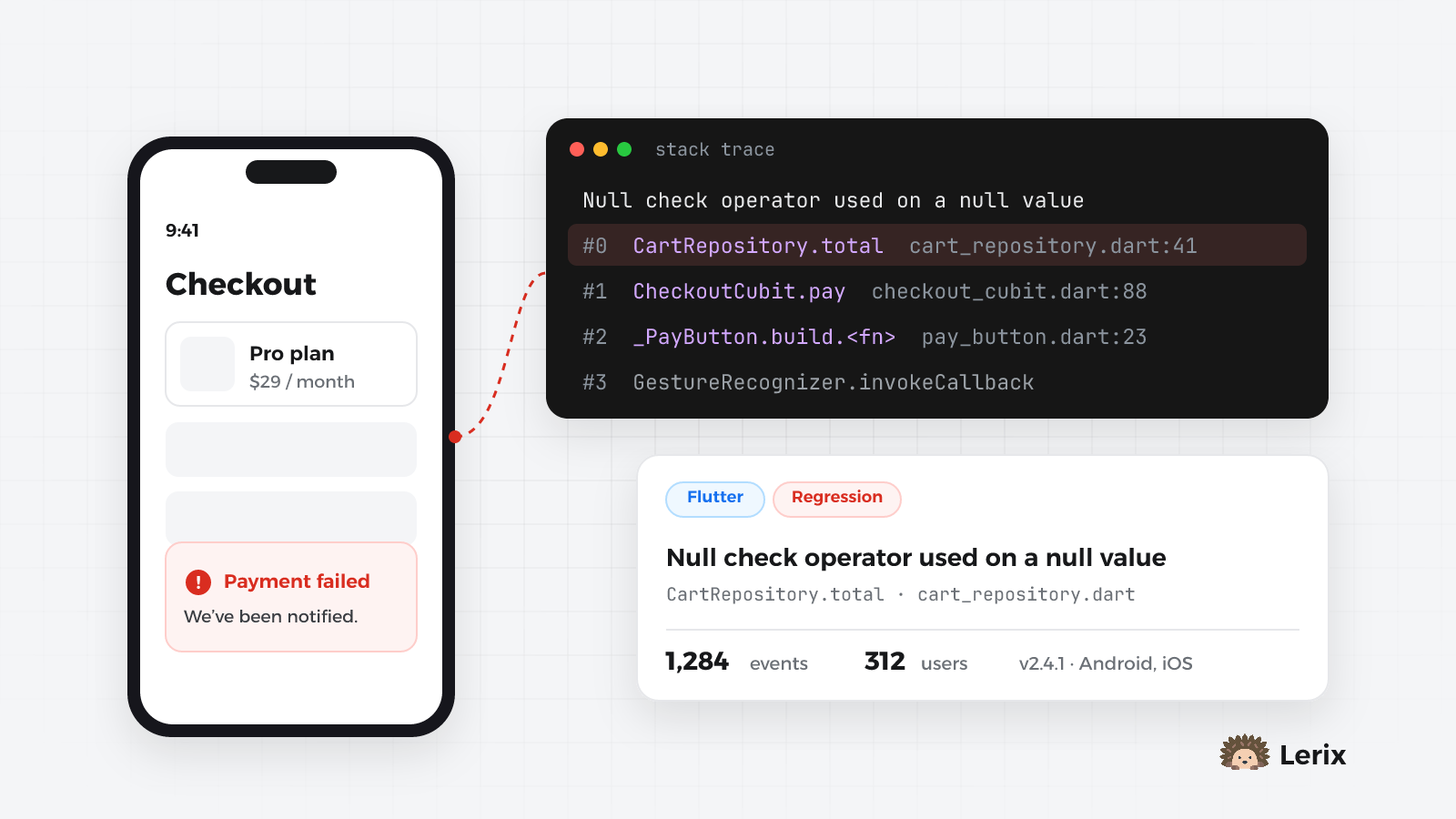
Most users never report a crash, they just leave. Set up crash reporting in a Flutter app in minutes: what gets caught, how to add context, and how to cut the noise.
6 min read
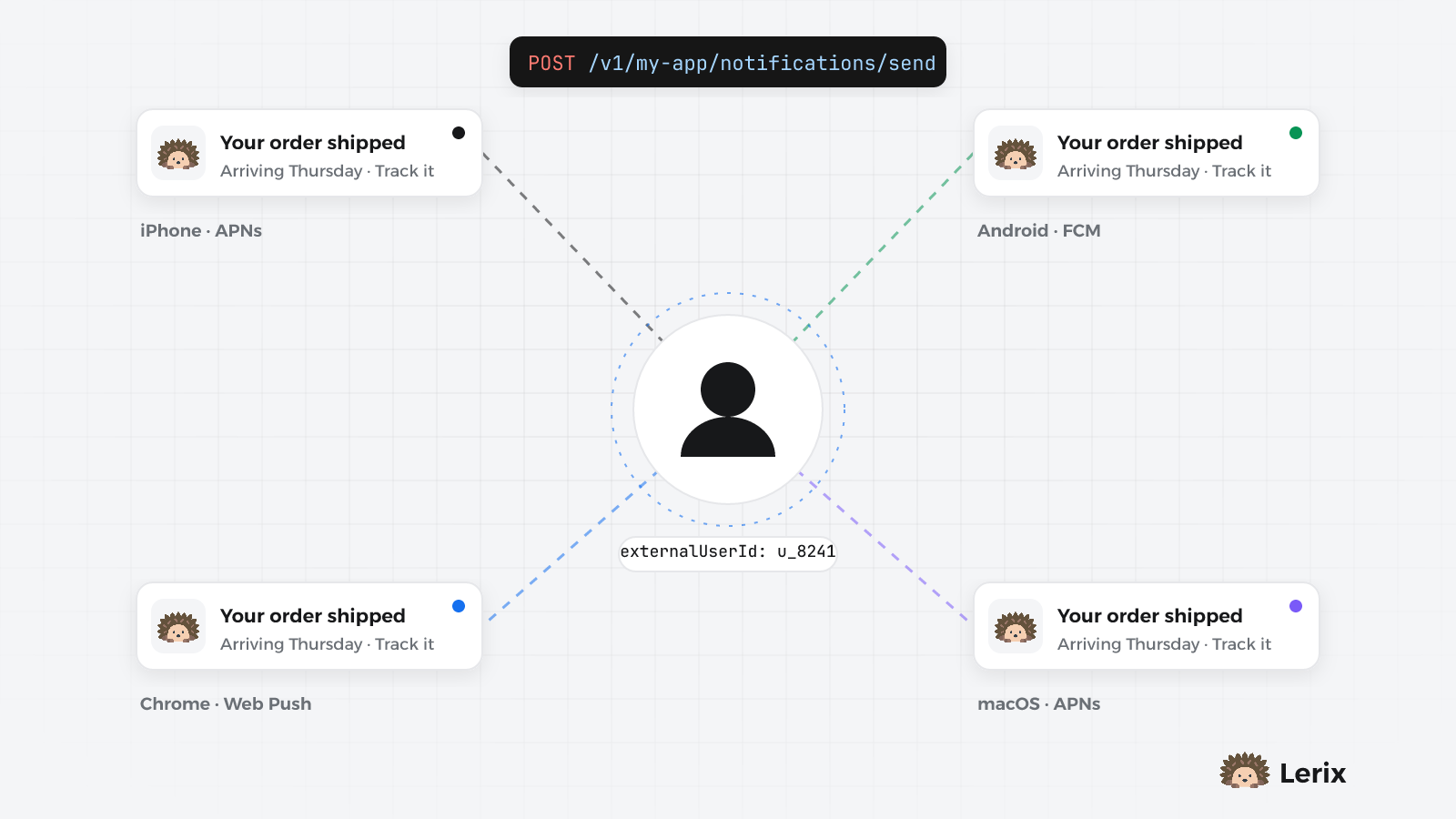
Your users have a phone, a laptop and a browser tab. Stop storing device tokens: link devices to your own user ID and send once to iOS, Android, web and macOS.
6 min read
Most people who hit a crash never tell you. They close the app, try once more, and if it happens again they uninstall it or leave a one-star review that says "doesn't work". By the time you hear about it, the bug has been live for days.
Crash reporting turns that around: every uncaught error reaches you with the stack trace, the device and the app version, grouped so a bug that fires ten thousand times shows up once. This guide sets it up in a Flutter app with the lerix_flutter package, and explains what is caught, what isn't, and how to keep the reports useful.
Add lerix_flutter to pubspec.yaml and fetch it:
dependencies:
  lerix_flutter: ^0.7.0
flutter pub get
Crash reporting only needs this one package. Push notifications (lerix_messaging) and Google Play in-app updates (lerix_app_update) are separate packages, so apps that don't use them don't ship their code. If you add them later, keep all three on the same version.
The SDK runs on Android, iOS, macOS, Windows and the web.
main()Create a project in the Lerix dashboard and copy its API key and slug from the project settings. Then hand your runApp call to Lerix.init:
import 'package:flutter/material.dart';
import 'package:lerix_flutter/lerix_flutter.dart';

void main() {
  Lerix.init(
    url: 'https://api.lerix.dev/v1/your-project-slug',
    apiKey: 'your-api-key',
    projectId: 'your-project-slug',
    builder: () => runApp(const MyApp()),
  );
}
Two details that save time:
projectId is the project's slug, the short name you see in the dashboard's address bar, not its long id.runZonedGuarded. Lerix.init sets up the error zone and WidgetsFlutterBinding itself, then calls your builder. If initialisation fails (no network on first launch, for example), your app still starts.Once init has run, three kinds of uncaught errors are reported as crashes, on every platform including Flutter Web:
FlutterError.onError: build, layout and paint errors. They are still printed to the console in debug builds, so your workflow doesn't change.PlatformDispatcher.onError, such as an exception in an async callback nobody awaited.Every report carries the device model, OS and version, CPU architecture, time zone, country and your app's version and build number, read from the app itself. Reports also carry the current session, which is how the dashboard shows crash-free sessions and users per app version.
A caught exception is often the most useful one, because you know what the user was doing. Report it with Lerix.throwError and attach whatever helps you reproduce it:
try {
  await payments.charge(cart);
} catch (e, stack) {
  await Lerix.throwError(
    e,
    stack,
    bugSeverity: BugSeverity.high,
    metaData: {
      'cartItems': cart.items.length,
      'paymentMethod': 'card',
    },
  );
  showPaymentFailed();
}
throwError never throws. If the report can't be sent, it is logged and your app carries on. Severity can be critical, high, medium or low; you can also set a bugType such as BugType.networkError or BugType.validationError to filter by it later.
"312 users hit this" is a different priority from "one tester hit this". Tell Lerix who is signed in, and clear it on sign-out:
// After sign-in
await Lerix.setUser(user.id);

// On sign-out
await Lerix.clearUser();
Use your own stable user id, never an email or a phone number. Every report from that device is then linked to the person, and the same id lets you send them a push notification on all their devices later.
Some errors aren't worth an alert: a dropped connection on a train, a third-party package that logs instead of failing. Two options in Lerix.init handle that on the device:
Lerix.init(
  url: 'https://api.lerix.dev/v1/your-project-slug',
  apiKey: 'your-api-key',
  projectId: 'your-project-slug',
  ignoreErrors: [
    'SocketException',                // case-insensitive "contains"
    RegExp(r'^HttpException: 40[13]'),
  ],
  beforeSend: (event) {
    // Drop reports from your own test runs.
    if (event.metadata?['test'] == true) return null;
    // Remove tokens that ended up in a message.
    return event.copyWith(
      message: event.message.replaceAll(RegExp(r'token=\S+'), 'token=***'),
    );
  },
  builder: () => runApp(const MyApp()),
);
ignoreErrors runs first, then beforeSend. The text you match against is the issue title, which includes the error class. Returning null from beforeSend drops the report silently. If your beforeSend itself throws, the original report is sent, so a bug in a filter never hides a crash.
The server adds a few rules of its own. For example, Flutter's A RenderFlex overflowed by… is still recorded, but as a low-severity UI bug instead of a critical crash.
Release builds of Flutter Web are minified, so stack traces read like main.dart.js:1:48213. Build with --source-maps and upload the maps after each build; the source maps guide walks through it. Android and iOS release builds need no extra setup.
Reports don't arrive as a flood of duplicates. Lerix groups them into issues by the first line of the message (with numbers, ids, emails and URLs masked) and the first stack frame in your own code, ignoring line numbers. So Order 1234 not found and Order 5678 not found from the same function are one issue.
Each issue shows its occurrences, affected users, first seen and last seen, and the full stack trace with the device and app details. From there you can:
lerix_flutter: ^0.7.0 in pubspec.yaml.Lerix.init in main() with your API key and project slug, and runApp inside builder.Lerix.throwError in the catch blocks that matter.Lerix.setUser after sign-in, Lerix.clearUser on sign-out.ignoreErrors / beforeSend for the noise you already know about.Then crash the app on purpose once, with a button that throws, and check that it shows up. It takes five minutes and it's the only way to be sure the next real crash will reach you.
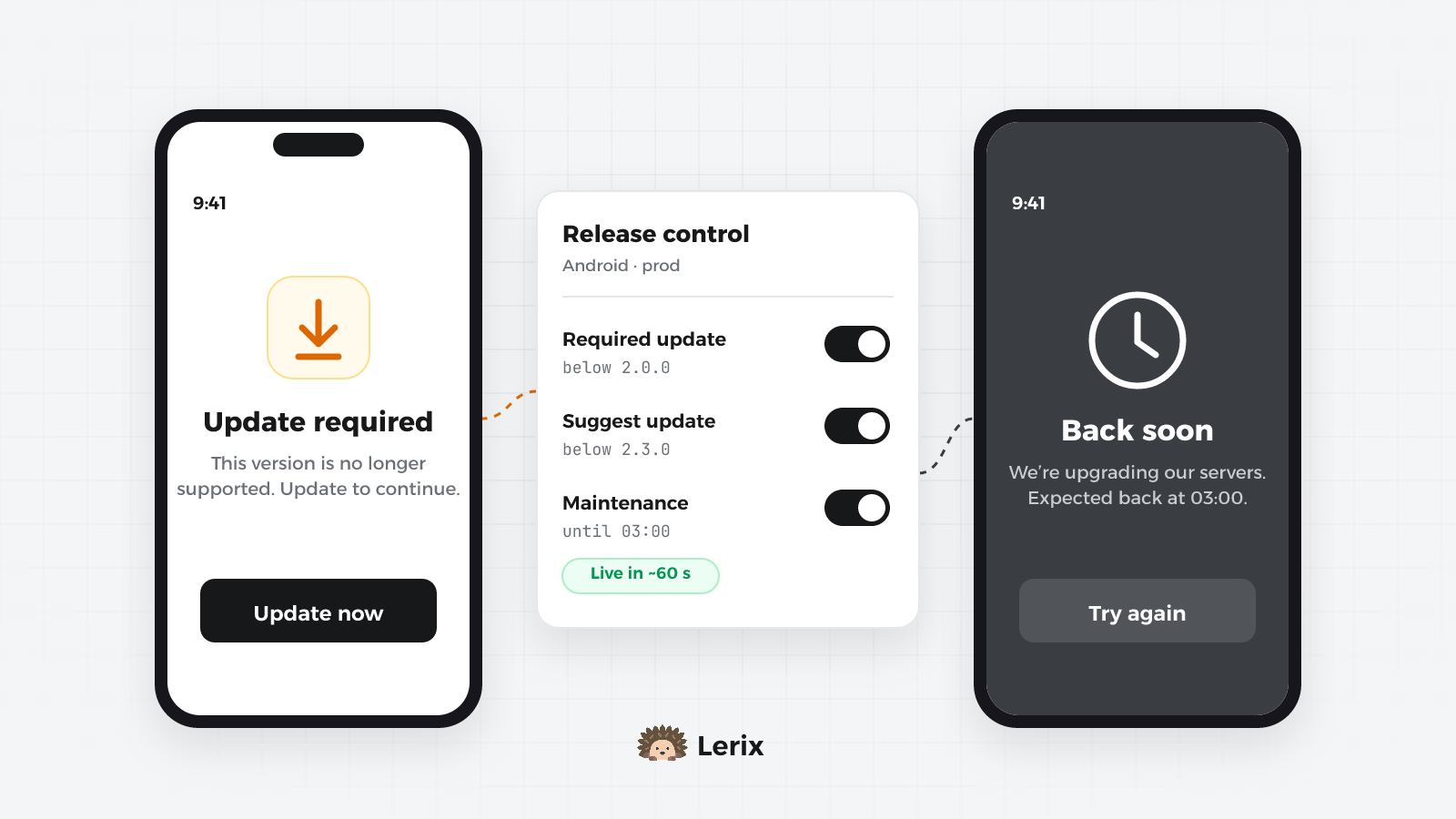
An old version breaks against your new API, or the backend needs an hour offline. Set update rules and maintenance windows from the dashboard and every app follows within minutes.
7 min read
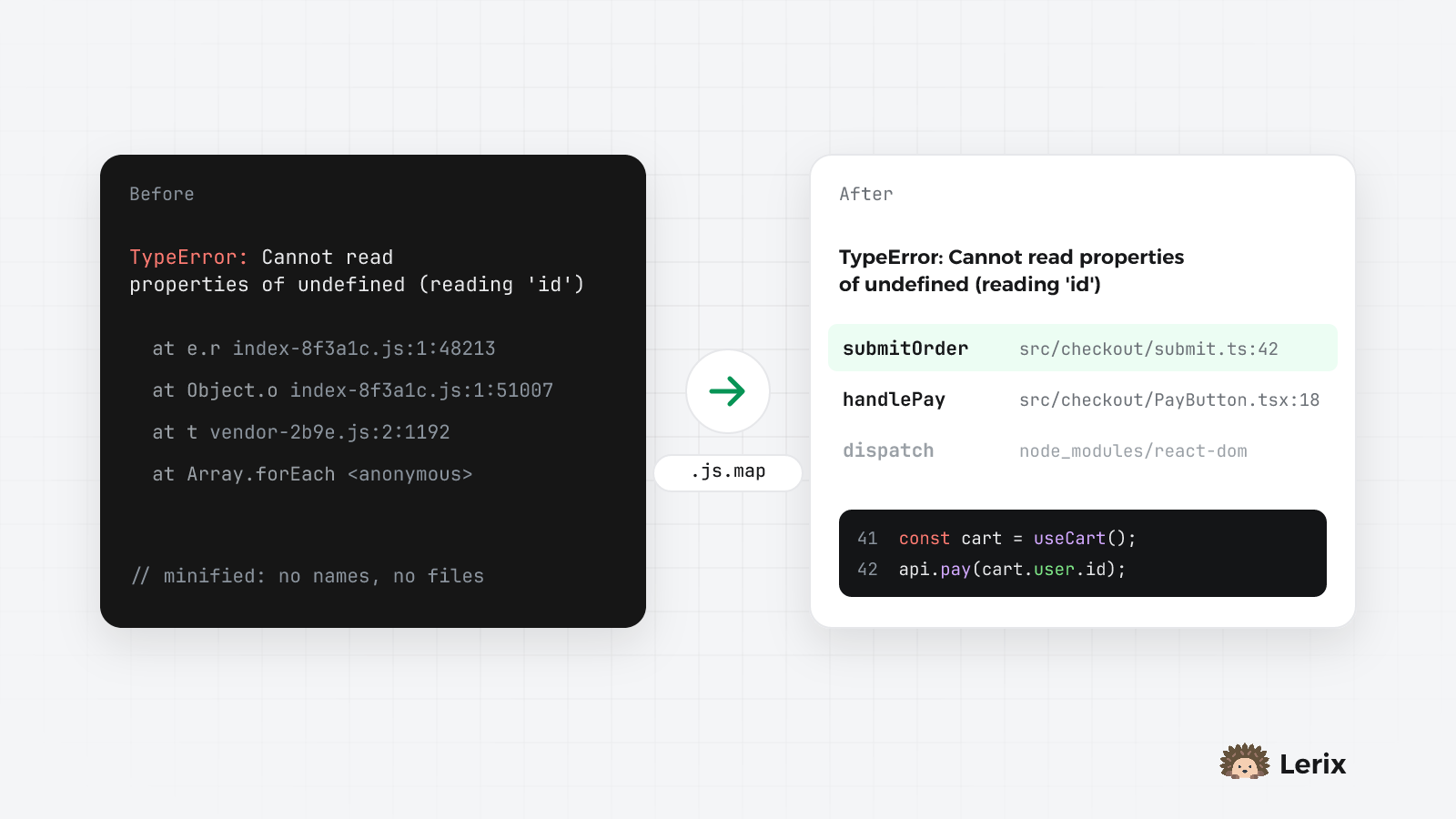
index-8f3a1c.js:1:48213 tells you nothing. Upload source maps from your build so every error points at your own file, line and function, and see how errors become issues.
6 min read