Two situations every mobile team runs into sooner or later:
- An old version has to go. It crashes against the new API, it has a security hole, or it charges the wrong price. You shipped the fix, but app stores don't force anyone to update, and a few thousand people are still on version 1.8.
- The backend needs to go offline. A database migration, a provider outage, a launch you want to hold until 9 a.m. Meanwhile the apps keep calling your API and show their users a wall of errors.
The usual fix is a "minimum version" field on your own server and a screen in the app that checks it. It works, until you notice you can't change the screen without a release, and that apps already in people's hands can only do what you built into them in advance.
Lerix release control builds that in: you set the rules in the dashboard, and the SDK shows the right screen in every app, on iOS, Android, macOS, Windows and the web.
How it reaches the apps
Rules are evaluated on Lerix's side. The app asks "what applies to me?" and gets back an answer for its exact platform, version, build, environment and country.
- At launch, the app applies the last answer it saved before making any request, so a blocking screen is up from the first frame, even offline. Then it fetches a fresh one.
- When the app comes back to the foreground, it checks again if the saved answer is older than its lifetime: 5 minutes normally, 1 minute during maintenance and for half an hour after you change anything.
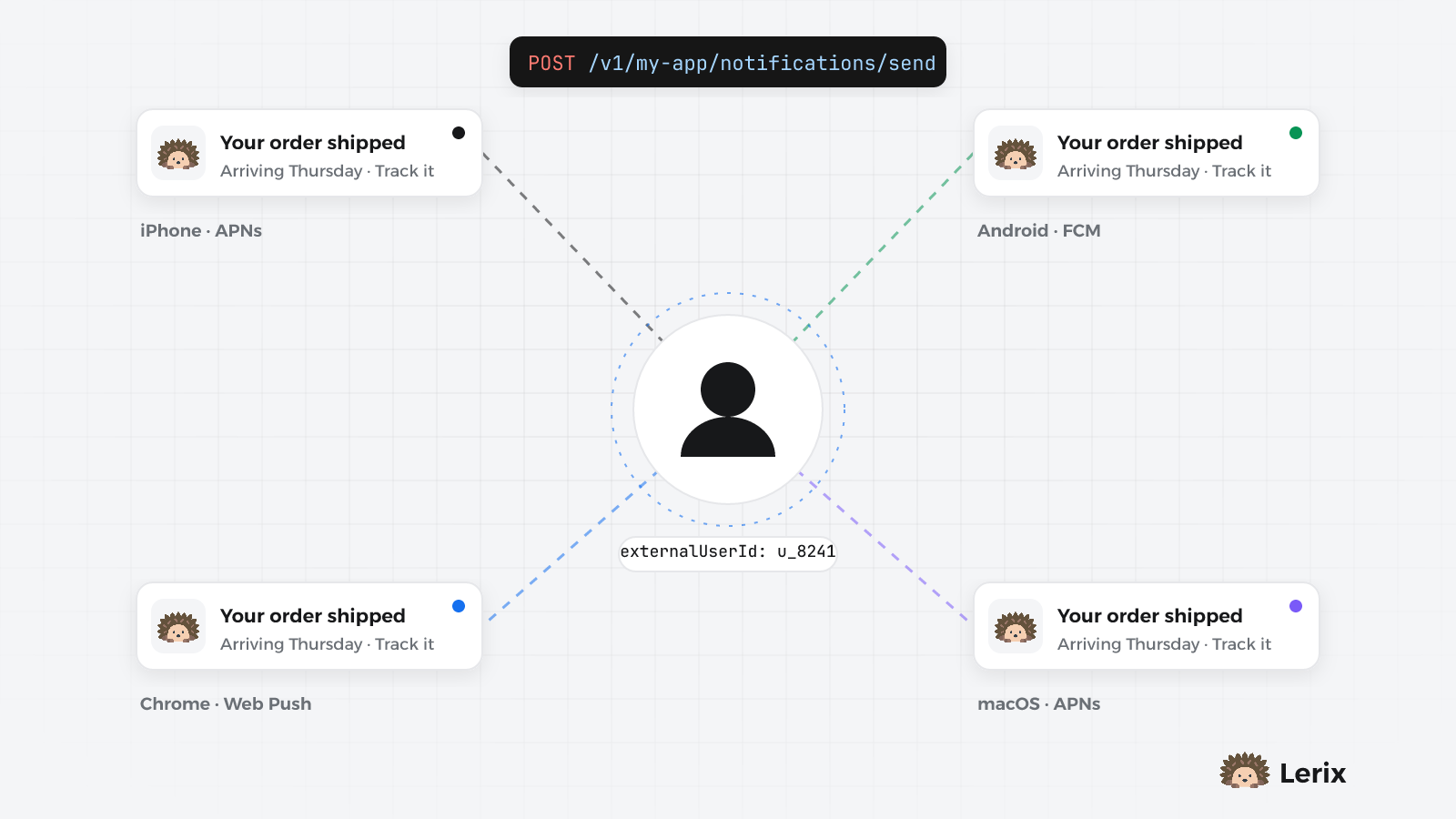
- On iOS, Android and macOS, blocking changes (maintenance starting or ending, a forced update) also send a silent push, so most devices update within a minute. It's best-effort: the system may delay it in low-power mode.
Unchanged answers cost almost nothing: the app sends what it has, and Lerix replies "not modified".
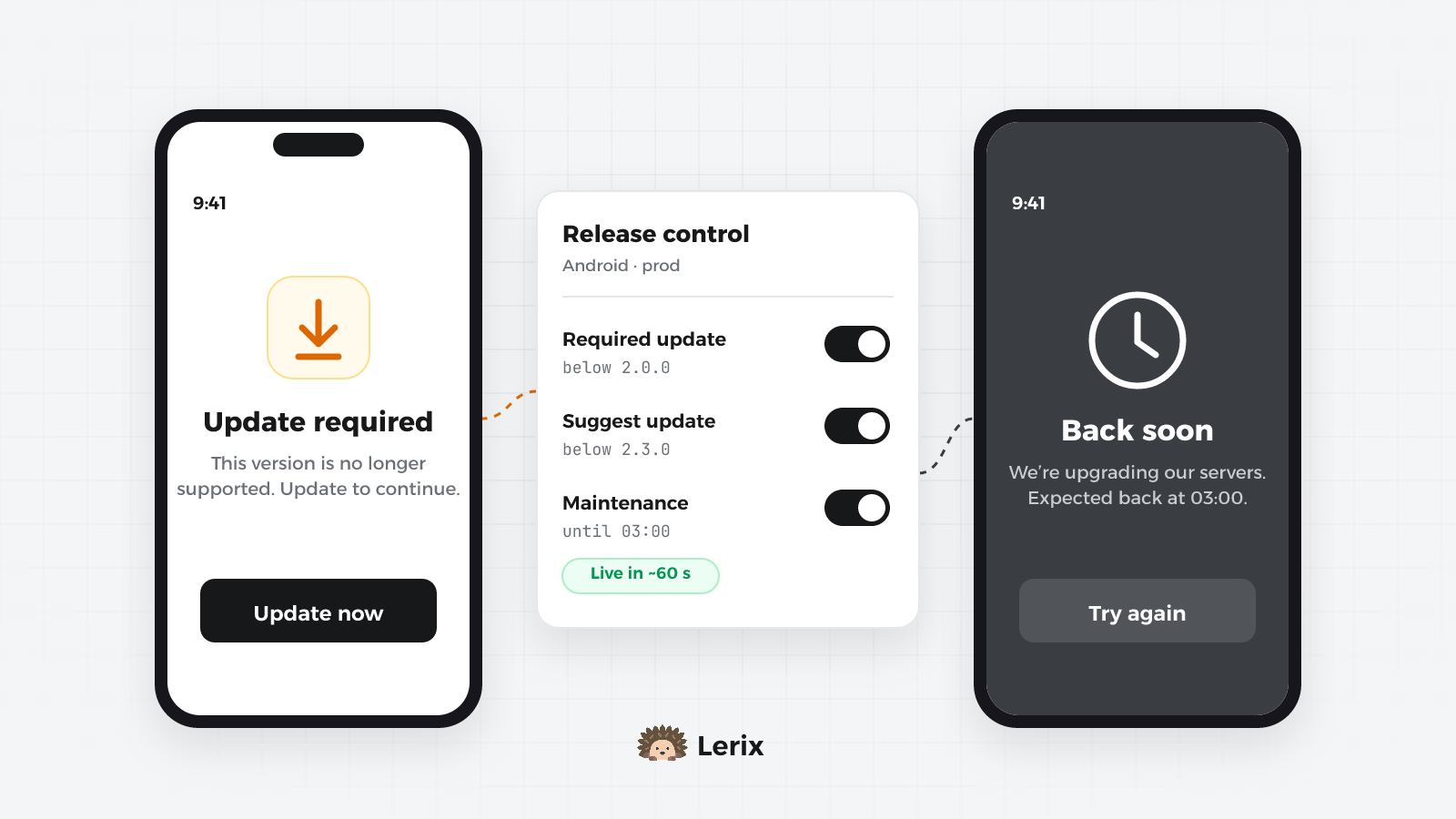
Update rules: suggest, recommend, require
Each platform gets its own rule per environment (prod unless you choose another). A rule can hold:
- Latest version (and build): anyone below it is offered the update.
- Minimum version (and build): anyone below it is blocked until they update.
- Blocked versions: specific broken releases, blocked even if they're above the minimum.
- Below latest: show the update as Optional (can be skipped) or Recommended (can't be skipped, can be postponed).
- Becomes required on: a deadline after which the recommended update turns into a required one.
- Remind again after: how long "Later" lasts, 72 hours by default.
- Countries, a store link override and a message in English and Arabic.
Lerix checks them in this order: a blocked version is required; below the minimum is required; below the latest is optional or recommended (or required once the deadline has passed); otherwise nothing is shown. Versions are compared as numbers, part by part, so 1.10.0 is newer than 1.9.2.
Blocking users is serious, so the dashboard shows the effect while you type, for example "This will block 1,240 devices (31%)", and asks you to confirm when a rule would stop half your active devices or set a minimum above every version seen in the wild. A Versions in the wild list shows what people are actually running.
The Update button opens the store page: Google Play from your package name, or the App Store from your app's id, which the dashboard can look up for you.
Maintenance mode
Maintenance lives on the Emergency tab. A window has:
- a scope: platforms, environment, specific versions or versions below one, countries;
- a title and message in English and Arabic, and an optional "Expected back at", shown in the device's time zone;
- a start: now, or scheduled up to 30 days ahead. Devices learn about a scheduled window up to 24 hours early and keep it to themselves, so it starts on time even on a phone that has gone offline;
- an end: every window has one, 24 hours after the start by default and 7 days at most, so a forgotten window can't lock people out. Devices lift it on their own at that time, even with no network.
Two features make it safe to use in a hurry:
- An allow-list of user ids or installs that are let through, for your team.
- Test on allow-listed devices only: the window applies to your own devices first. When it looks right, Go live, and every device in scope sees the maintenance screen within a minute.
Turning maintenance on asks for a reason and for you to type the project slug, and every change lands in the History with who made it. Lift all ends every maintenance window and turns off every forced update in one step, for the moment you realise the rule was a mistake.
In the app
In Flutter, release control is on by default once lerix_flutter is set up. There is no widget to add: the SDK puts its screens over your app's top-level navigator.
Lerix.init(
url: 'https://api.lerix.dev/v1/your-project-slug',
apiKey: 'your-api-key',
projectId: 'your-project-slug',
appControl: const LerixAppControlOptions(
enabled: true,
ui: true,
),
builder: () => runApp(const MyApp()),
);
The built-in screens are a full-screen maintenance page with Try again, a full-screen Update required page, and a dialog for optional and recommended updates. Their buttons come in English and Arabic, right to left included.
On Android you can go one step further: add the lerix_app_update package and a required update opens Google Play's in-app update instead of the store page, for apps installed from Play. Apps that don't use Play don't ship that library.
On the web, set release to the version you deploy. There's no store there, so Update reloads the page:
import { Lerix } from '@lerix-dev/lerix-core';
await Lerix.initialize({
apiKey: 'your-api-key',
projectId: 'your-project-slug',
release: '1.4.0',
});
Your own screens
Set ui: false and draw them yourself. The SDK still fetches, saves and applies everything, including the offline rules; only the drawing is yours:
ValueListenableBuilder<LerixAppControlState>(
  valueListenable: Lerix.appControl,
  builder: (context, state, _) {
    final maintenance = state.maintenance;
    final update = state.update;
    if (maintenance != null) {
      return MaintenanceScreen(
        title: maintenance.title,
        message: maintenance.message,
        onRetry: () => Lerix.appControl.refresh(),
      );
    }
    if (update != null && update.state == LerixUpdateState.required) {
      return ForceUpdateScreen(
        message: update.message,
        onUpdate: () => Lerix.appControl.openStore(),
      );
    }
    return child;
  },
);
React has the same as a hook, useLerixAppControl(), and Angular as LerixAppControlService.
Did people actually update?
The SDK records $update_prompt_shown, $update_prompt_action (update, later or skip) and $maintenance_shown. Together with the app's version changes they form a funnel in Analytics → Funnels: how many saw the prompt, tapped Update, and arrived on the new version. The propagation meter on the Emergency tab shows how many active devices already have your latest change.
Limits worth knowing
- Release control runs inside your app, so a modified or very old build can ignore it. Keep enforcing anything security-critical on your backend too.
- A version with no digits in it can't be compared, so it's never blocked.
- Saved optional updates expire 7 days after the last successful check; a saved required update keeps blocking offline until a check says otherwise. That's deliberate: failing open would defeat the point.
Checklist
- Set Latest version on each platform as you release, so older versions get a gentle prompt.
- Use Minimum version or Blocked versions only for versions that are actually broken.
- Prefer a deadline over an immediate block when there's time: recommended first, required later.
- For maintenance, schedule it, test it on your own devices, then Go live.
- Keep Lift all in mind. It's the undo button.